
Canva vs Gamma vs PowerPoint: Best Tool for College Decks (2026)
We built the same 8-slide seminar deck in Canva Magic Design, Gamma AI and PowerPoint to test formatting bugs, offline export on college PCs and free-tier limits.
If you are choosing between Canva, Gamma, and PowerPoint for college presentations in 2026, your decision depends on the classroom hardware and your data load. Pick Gamma to turn a 10-page project report into a first-draft deck in 60 seconds, pick Canva for visual marketing or fest sponsorship pitches, and stick to native Microsoft PowerPoint for MBA case competitions or final-year seminars evaluated on offline Windows lab PCs. While both Gamma and Canva export to .pptx files, independent testing by SlideGMM AI (2026) shows that Gamma's web-to-PowerPoint conversion flattens 30% to 40% of complex layouts into uneditable static images, while other technical analyses show that custom typography frequently breaks across cross-platform exports.
In short
- Gamma AI: Best for speed. Gives you 400 free sign-up credits (MindStudio, 2026), generates a full deck from an uploaded PDF, and stamps a watermark on the bottom right of free exports.
- Canva: Best for design assets. Note that a college
.ac.inor.eduemail no longer gives access to Canva for Education automatically unless your university pays for a "Canva Campus" license. - Microsoft PowerPoint: Best for data and stability. It is the only tool of the three with live-linked Excel charts and zero layout shift on offline classroom projectors.
- The 5-minute lab PC fix: Always build with Arial, Inter, or Georgia, and run
Home > Replace > Replace Fontsin PowerPoint before plugging your pendrive into the lecture hall desktop.
How Canva, Gamma, and PowerPoint compare on the same seminar brief
When tested on the same 8-slide final-year seminar brief, Gamma builds the fastest structural outline, Canva produces the best visual layouts, and PowerPoint handles data tables without breaking. A comparison by SlideSpeak (2026) confirms that Gamma runs on an AI-first prompt-to-deck workflow, whereas Canva relies on thousands of pre-built visual templates.
To test all three tools fairly, use this exact prompt: "Create an 8-slide seminar presentation on EV battery swapping economics in India for three-wheelers, including a unit economics table, a competitor matrix, and a 5-year adoption chart."
| Feature / Test Criteria | Gamma AI (Gamma 5) | Canva (Magic Design) | Microsoft PowerPoint |
|---|---|---|---|
| Workflow style | Prompt, URL, or PDF to scrollable web cards | Template-first canvas with AI slide generation | Blank slide or rigid Master Slide templates |
| Time to first 8-slide draft | Under 60 seconds from a pasted outline | Varies based on template selection | Varies based on manual layout design |
| Unit economics table handling | Generates visual text tables with manual data entry | Requires manual data entry or static image imports | Native table support with Excel linking |
| 5-year adoption chart | Requires manual data entry or static image imports | Requires manual data entry or static image imports | Live-linked to Excel models (Decksy AI, 2026) |
Offline .pptx export quality | 30–40% of complex grids flatten into images | Custom web fonts break; animations flatten | 100% native .pptx fidelity |
| Free plan limits (2026) | 400 sign-up credits; watermark on exports | Limited monthly AI prompts; Pro assets locked | Free via college Microsoft 365 ID |
Here is your decision rule for college coursework:
- If you have a 15-page IEEE paper or project report due tomorrow morning: Upload the PDF into Gamma, generate the 8-slide summary, and export to PDF (not PPTX) if your professor allows presenting from a PDF viewer.
- If you are pitching a campus startup, cultural fest sponsorship, or marketing campaign: Build in Canva using Canva Magic Design to get clean typography and icons, then apply the font replacement fix before exporting.
- If you are entering a corporate case competition (like HUL LIME, Flipkart WiRED, or an IIM fest): Build directly in PowerPoint so your financial models link to Excel and your slides render cleanly on the judges' laptop.
Does Gamma AI export cleanly to PowerPoint for college classroom PCs?
Gamma AI supports direct export to editable .pptx files (Gamma App, 2026), but it does not export cleanly to offline college classroom PCs without manual cleanup. Technical analysis by SlideGMM AI (2026) found that Gamma's web-first rendering pipeline flattens 30% to 40% of complex multi-column layouts and custom grids into static, uneditable images during PowerPoint conversion.
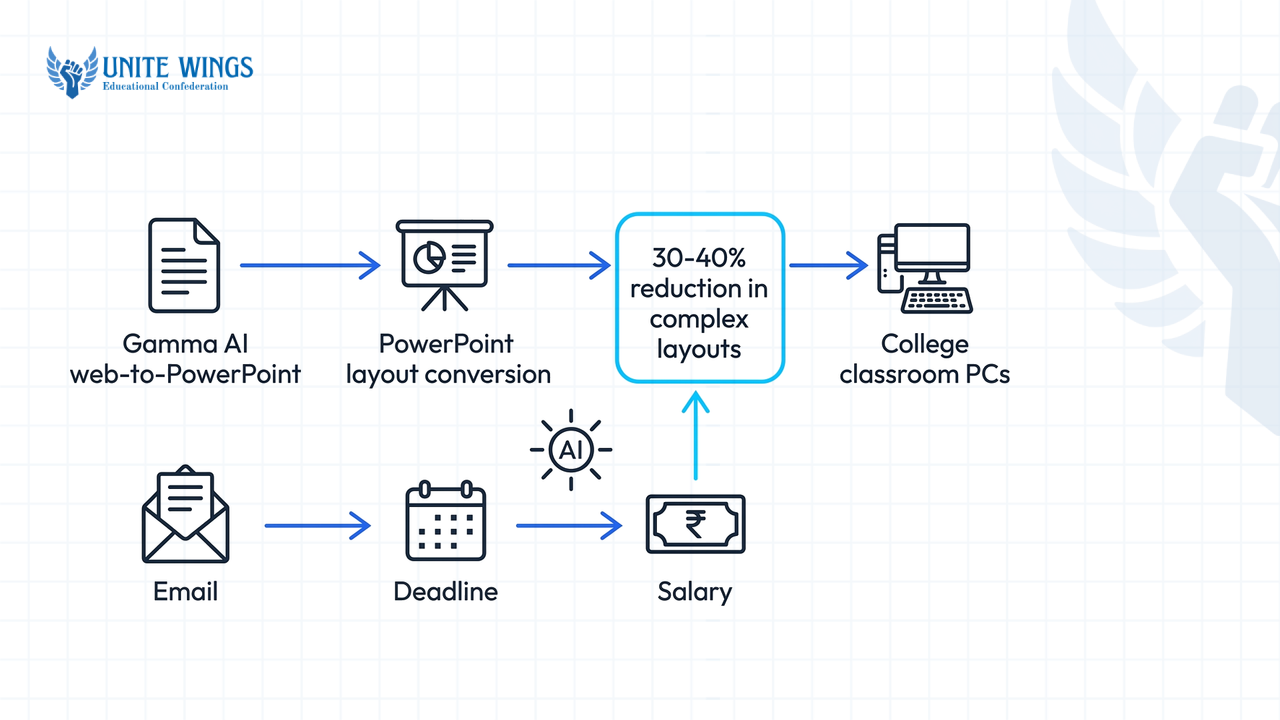
While Gamma's marketing states that its PowerPoint exports are ready to use, independent testing shows why slides break on lecture hall desktops. According to a 2025 analysis on Substack, Gamma organizes content into modular, scrollable web "cards" rather than fixed slides. When you force a flexible web card into a rigid 16:9 PowerPoint slide, visual padding shifts, text boxes overlap, and bullet lists spill past the bottom margin. Furthermore, 2Slides (2026) notes that Gamma's export strips out all native web animations and transitions because CSS keyframe layouts have no direct Office Open XML (OOXML) equivalent in PowerPoint.
You also need to watch out for the free-tier watermark. According to ASAP Guide (2025), free tiers of Gamma include a small branding watermark at the bottom right corner of exported PowerPoint slides. In a strict engineering viva or B-school presentation, handing over a deck with an AI watermark signals low effort before you even speak.
If your department requires you to submit a .pptx file on a pendrive for the seminar hall PC, follow this 4-step workflow to stop Gamma from breaking:
- Optimize layouts for conversion: Avoid highly dense multi-column cards and complex layouts so that the web-first rendering pipeline maps cleanly to PowerPoint slide dimensions.
- Avoid dense card layouts: Simplify your card structure and limit heavy layered graphics to prevent visual padding shifts during export.
- Export after media loads: Scroll from the first card to the last so every image renders in your browser cache, then click
Share > Export > Export to PowerPoint. - Verify presentation layouts: Do a quick visual check on the exported PPTX file to fix any alignment errors or text box overlaps before transferring the deck to a presentation PC.
Is Canva Magic Design free for Indian college students with an edu email?
No, having an Indian college .edu or .ac.in email address does not automatically give you free access to Canva Pro or unlimited Canva Magic Design in 2026. According to Canva Support and MockupIdea (2026), free Canva for Education accounts are restricted to K-12 students (via a school teacher's invitation) and primary/secondary institutions, leaving university students out of individual sign-ups.
This is what most students get wrong when reading outdated blog posts. Until recently, Indian engineering and degree students bypassed the K-12 restriction by claiming a free Canva Pro license through the GitHub Student Developer Pack. According to a 2026 report by MockupIdea, Canva officially ended its partnership with GitHub, removing Canva Pro from the Student Developer Pack entirely.
Today, university students only get free Canva Pro features if their college administration has paid for and provisioned an enterprise agreement called "Canva Campus" (Canva / StudentUpdate, 2026). You can test if your institute has this in 30 seconds: go to Canva's login page, click Continue with Work/School Email (SSO), and enter your official college email ID.
If your college does not have a Canva Campus license, you have two options:
- Use Canva Free: You get access to standard templates, but Canva's pricing guide (2026) notes that free users are capped at a small number of monthly Magic Design prompt generations and AI image credits, and cannot use premium stock graphics without watermarks.
- Pay for individual Canva Pro: According to a 2026 report by LumiChats, individual Canva Pro subscriptions in India cost approximately ₹3,999 per year (around ₹333 per month), though pricing changes periodically on Canva's official India billing page.
If you are working with the free tier or a shared team account and want to build faster without burning your monthly AI prompt quota on unusable drafts, our Canva AI Masterclass walks through practical prompt structures for Magic Design and Magic Write.
Which tool is best for data-heavy MBA case competition charts?
Traditional Microsoft PowerPoint is the best tool for data-heavy MBA case competitions because neither Canva nor Gamma supports live-linked spreadsheet integration with Microsoft Excel or Google Sheets (Decksy AI, 2026). When you are building financial projections, sensitivity tables, or waterfall charts for a B-school competition, PowerPoint's native connection to Excel saves hours of manual rework.
In a typical campus case study round, your team will tweak assumptions in your Excel model twenty minutes before the submission deadline. According to CaseBuzz and Harvard Business School Online (2026), quantitative modeling requires Excel, Power BI, or Tableau, while Canva and Gamma are built only for high-level visual storytelling. If you build your deck in Gamma or Canva, changing a key rate in Excel means manually re-typing your numbers or importing static images of your spreadsheet onto Canva or Gamma.
PowerPoint handles case competition requirements that web-based AI tools fail at:
- Live Excel linking: Copy a chart in Excel, go to PowerPoint, and choose
Paste Special > Paste Link. When your teammate updates the revenue sheet in Excel, the PowerPoint chart updates with one click. - Master Slide precision: Corporate case briefs require strict visual formatting rules. PowerPoint's master slide controls allow you to lock design layouts across your entire deck instantly.
- Specialist AI case tools: Rather than using Gamma to write weak, generic strategy slides, MBA students are pairing PowerPoint with dedicated case prep assistants like CaseEdge (a single 2026 source, CaseEdge.in, notes its use for structuring case frameworks and simulating judge Q&A) while keeping all slide production inside Office 365.
If you still want Canva's visual polish for your cover slide or consumer persona diagrams in a case deck, design those specific graphics in Canva, export them as high-resolution transparent PNGs, and drop them onto your native PowerPoint slides.
How do you stop fonts from breaking when moving from Canva to PPTX?
To stop fonts from breaking when exporting from Canva to PowerPoint, either build your deck using universal system fonts (Arial, Inter, or Georgia) or run PowerPoint's Home > Replace > Replace Fonts command immediately after downloading (Unraster.ai, 2026). You must also enable font embedding inside PowerPoint's save options before copying the .pptx file to a pendrive.
When you download a presentation from Canva as a .pptx file, Canva's custom web fonts (like Canva Sans, League Spartan, or Glacial Indifference) do not embed into the file (Noxi.ai, 2026). When you plug your USB drive into a college classroom PC running an older version of Windows without internet access, PowerPoint substitutes those missing fonts with basic defaults. Furthermore, Skywork and Teacher Min (2025–2026) point out that PowerPoint calculates paragraph leading and line spacing differently than Canva's web browser canvas, causing headings to wrap onto extra lines and spill over images. Animations, transitions, and layered videos also fail to map one-to-one, flattening into static bitmap images (Unraster.ai, 2026).
Follow this exact 5-minute polish checklist on your own laptop before taking a Canva or Gamma export to a college lab PC:
- Swap to safe fonts before exporting: Inside Canva or Gamma, stick to universal safe fonts like Arial, Inter, or Georgia (Skywork / Reddit r/GammaApp, 2025–2026) to prevent layout distortion on unfamiliar PCs.
- Download as
.pptxand open in desktop PowerPoint: Never transfer the downloaded file straight from your browser'sDownloadsfolder to your pendrive without opening it in Microsoft PowerPoint first. - Run the batch font replacement: In PowerPoint, go to the
Hometab on the top ribbon, click theReplacedropdown on the far right, and selectReplace Fonts. In the top box (Replace:), select the broken Canva web font; in the bottom box (With:), selectArialorCalibri, and clickReplace. This fixes every slide at once (Unraster.ai, 2026). - Fix text box overflow: Review each slide to ensure that differences in paragraph leading and line spacing between platforms haven't caused words to wrap awkwardly.
- Embed fonts in the file: To maintain layout consistency on unfamiliar classroom PCs, check "Embed fonts in the file" under
File > Options > Savein PowerPoint before saving (Pitchworx / Microsoft Support, 2025).
Can faculty tell when a presentation was generated by Gamma AI?
Yes, college faculty can spot a Gamma AI presentation visually within seconds, even though automated plagiarism software rarely flags slide text (PlusAI, 2025; Gamma.app, 2026). Professors identify AI-generated decks by their uniform card geometry, repetitive three-column icon grids, generic AI art styles, and surface-level bullet phrasing that lacks local context.
According to the Higher Education Policy Institute (HEPI & Kortext Student Generative AI Survey, 2025), student generative AI use for coursework jumped sharply between 2024 and 2025, and Harvard Business School even published a case study ("Gamma: Slides in the Blink of AI", Case 826-001, 2025/2026) documenting how Gamma scaled to $50 million in ARR. Because so many students use it, your professors have already seen dozens of decks with Gamma's default pastel themes and AI-generated isometric illustrations.
A 2026 report by Solvely explains that university academic integrity policies treat AI flags as prompts for human verification—such as asking you to explain a chart orally during your viva or asking to see your draft history—rather than relying on software scores alone.
When a professor looks at an unedited AI slide deck, three visual giveaways stand out immediately (PlusAI, 2025):
- Uniform card formats: AI tools frequently rely on modular web card geometry and standardized card elements, leading to highly uniform visual layouts.
- Lack of localized metrics: AI prompts often generate high-level global data and generic bullet phrasing rather than project-specific regional metrics.
- Mismatched speech and slide depth: Presenting technical terms or highly structured AI slides that you cannot explain verbally under questioning.
To make an AI-assisted deck pass a tough viva, use Gamma or Canva only for the initial layout skeleton, then replace at least 60% of the content:
- Swap every AI-generated stock illustration for an actual screenshot of your code, circuit diagram, survey Google Form results, or research paper table.
- Rewrite generic bullets into data-backed statements (change "High growth potential in the sector" to "FY25 three-wheeler EV penetration reached 54% across tier-2 delivery fleets").
- Practice delivering the slides out loud so you don't read off the projector screen; if you struggle with viva questions or freezing during Q&A, our Group Discussion and Speaking Masterclass covers how to structure impromptu answers under panel pressure.
How to set up your college presentation workflow this week
Do not wait until the night before your internal assessment or case submission to find out how your slides behave on the seminar hall computer. Set up a repeatable workflow over the next seven days:
- Today (2 minutes): Test your college email on Canva's login page via
Continue with Work/School Email (SSO)to see if your university provides Canva Campus, and create a free Gamma account to claim your 400 starter credits (MindStudio, 2026). - Before your next assignment: Use Gamma's
Importfeature to upload an old project PDF or Word outline and convert it into a draft deck, then export it to.pptxand practice running theHome > Replace > Replace Fontsfix in PowerPoint. - 24 hours before any classroom presentation: Save two files onto your pendrive—an edited
.pptxfile using only Arial or Calibri with embedded fonts turned on, and a flat.pdfbackup file in case the lab PC is running an outdated version of Office that shifts your text boxes.
Build studio-grade slides in half the time
If you want to use Canva's AI features without ending up with broken templates or generic slides, join the Canva AI Masterclass. You will walk away with a reusable college presentation template, working workflows for Magic Design and Magic Write, and a pre-flight export checklist so your slides look sharp on any classroom projector.
Frequently asked questions
Does GitHub Student Developer Pack still include free Canva Pro in 2026?
No, the GitHub Student Developer Pack no longer includes free Canva Pro in 2026. According to MockupIdea (2026), Canva ended its partnership with GitHub. University students can only access Canva Pro for free if their college purchases an institutional Canva Campus license.
Why do text boxes overlap when converting Canva or Gamma slides to PowerPoint?
Text boxes overlap because web browsers and desktop PowerPoint calculate paragraph line spacing and font kerning differently (Skywork / Teacher Min, 2025–2026). Additionally, Gamma uses flexible, scrollable web cards that shift padding when forced into fixed 16:9 PowerPoint dimensions (Substack, 2025).
Can you link an Excel spreadsheet directly inside Canva or Gamma?
No, neither Canva nor Gamma supports live-linked spreadsheet integration with Microsoft Excel or Google Sheets (Decksy AI, 2026). You must enter data manually, upload a static CSV file, or paste screenshots of your charts, whereas PowerPoint links directly to live Excel models.
How do I remove the Gamma watermark from exported PowerPoint slides for free?
When you export a .pptx file on Gamma's free plan, it adds a branding badge to the bottom right corner of each slide (ASAP Guide, 2025). Open the exported file in desktop Microsoft PowerPoint and delete the watermark image object from each slide or from the Slide Master view.
Is it better to present a Canva or Gamma deck as a PDF or PPTX in college?
If you do not need slide animations or live editable charts, exporting as a PDF is safer for college classroom PCs. A PDF locks all custom fonts, multi-column card grids, and spacing into place so nothing breaks on an offline projector, whereas .pptx exports require manual font and layout repairs.
Can Turnitin or AI detectors catch a presentation made in Gamma AI?
Standard text plagiarism checkers rarely flag slide decks because bullet points are short and heavily edited (Gamma.app, 2026). However, professors easily spot AI-generated slides visually by their repetitive card layouts, generic phrasing, and AI art (PlusAI, 2025), and verify authorship by questioning you during the viva (Solvely, 2026).
Newsletter
Stay updated with our latest news and insights.