
How to Write Job Cold Emails With AI Without Sounding Robotic
Six structured prompts to research companies and draft personalized job outreach in under 5 minutes, plus 12 AI giveaway phrases you must delete before hitting send.
To figure out how to use ChatGPT to write cold emails for jobs without sounding like AI, stop giving the model one-line commands like "write a cold email for a data analyst role at Flipkart." Feed ChatGPT or Claude three things before it writes a single word: one specific detail about the company's current work, two bullet points with numbers from your resume, and a negative prompt banning common AI vocabulary. Keep the final email between 50 and 125 words, and manually rewrite the first sentence so it looks nothing like a template.
In short
- Human-edited AI cold emails get 5% to 15%+ reply rates, while unedited ChatGPT blasts get 1% to 3% (ColdMailer / Lyne.ai, 2026).
- Top-decile senders get a reply every 38 contacts, compared to 135 contacts for average senders (Smartlead, 2026).
- Keep your email between 50 and 125 words (NickSingh.com) and put a specific project or skill in the subject line.
- Ban 12 giveaway AI words in your prompt settings, and replace adjectives like "passionate" and "hardworking" with project metrics.
- Batch-generate 15 personalized drafts in 30 minutes using Google Sheets and a
=GPT()formula, then review every draft before sending.
How do Indian recruiters instantly tell if a cold email was written by ChatGPT?
Indian recruiters do not run your cold emails through AI detector software, because those tools are unreliable and produce false positives. Instead, recruiters spot ChatGPT emails in three seconds by recognizing repeated opening lines like "I hope this email finds you well," generic flattery about the company, and zero hard numbers from your actual projects (JobApplyAI, 2026; UCanLy).
When a talent acquisition specialist at an Indian IT services firm, a Bengaluru fintech startup, or a BFSI company opens their inbox at 9:30 AM, they see dozens of messages generated by the same default prompt. According to LinkedIn's 2026 Future of Recruiting Report, 53% of recruiters globally see a surge in AI-generated applications, while 74% of recruiters in India still struggle to find qualified candidates (AP7AM). By early 2026, 31% of job seekers globally were using ChatGPT in their job search (BeiInCareer, 2026). The problem is not that you use AI; in fact, 71% of recruiters say AI helps uncover candidate skills they would have missed, and over 86% of Indian organizations report that AI is changing their hiring process, even if only 22% of enterprise HR teams see measurable results from their own AI tools yet (CBR Exchange). The problem is that raw ChatGPT output looks identical across every student who uses it.
What most students get wrong: Freshers spend hours rewriting words so an online AI detector gives them a "95% human" score. No recruiter pastes a 100-word cold email into a detector. They archive your email because the first line in their Gmail preview pane says, "I am writing to express my strong interest in..." Fix this by deleting the warm-up sentence completely and starting your email with the company's name or a project they just shipped.
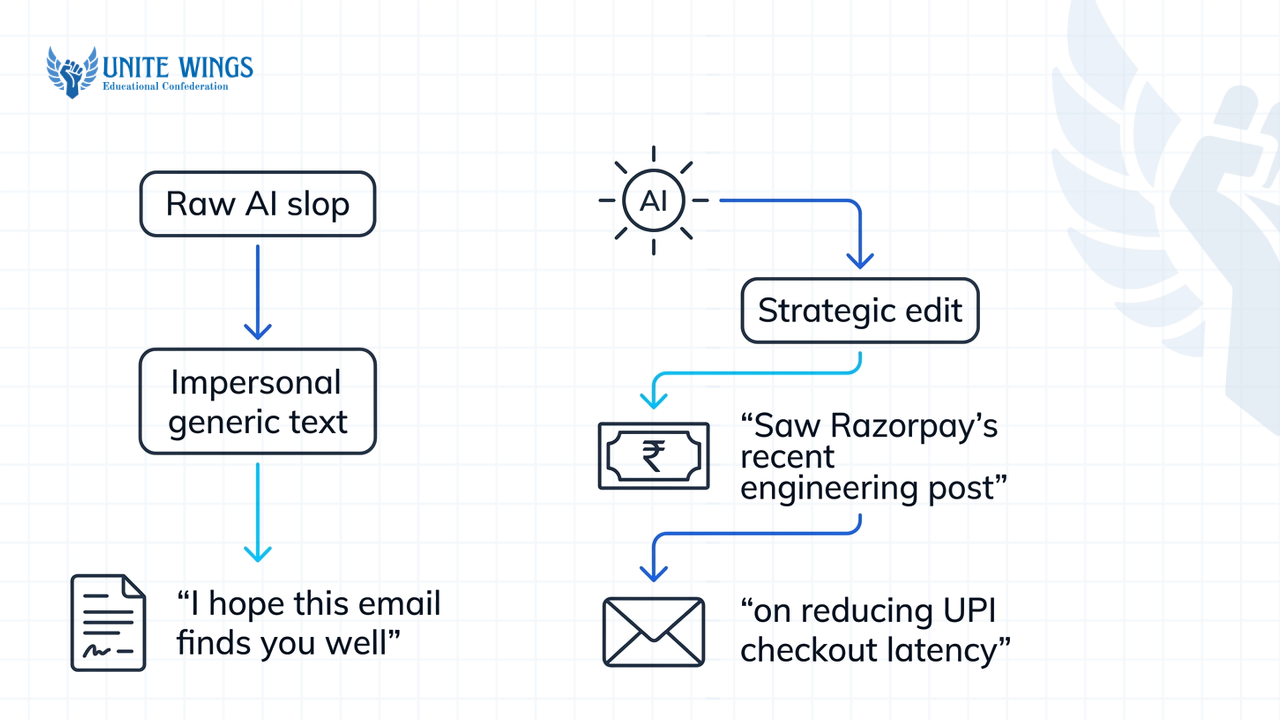
| Email element | Raw AI slop (1–3% reply rate) | Human-edited AI email (5–15%+ reply rate) |
|---|---|---|
| Opening line | "I hope this email finds you in good health and high spirits." | "Saw Razorpay's recent engineering post on reducing UPI checkout latency." |
| Flattery vs context | "Your company is a pioneer in the fintech space." | "Your team's switch to Go for the payment router caught my attention." |
| Candidate proof | "I am a passionate, hardworking final-year CSE student." | "Built a Go microservice handling 1,200 requests/sec for my final-year project." |
| Call to action | "I look forward to hearing from you at your earliest convenience." | "Open to a 10-minute chat next Tuesday, or should I speak with someone else on the backend team?" |
Which 12 AI words and phrases should I ban from my job cold emails?
The 12 AI words and phrases you must ban from your job cold emails are: delve, leverage, seamless, testament, realm, landscape, underscore, robust, pivotal, in today's fast-paced world, plays a pivotal role, and it is important to note (NaturalQuill; GetPresend). Copywriting guides also flag tapestry, paramount, harness, unlocking, ecosystem, and multifaceted (Quotable Copy, 2026).
Language models pick words based on token probabilities, which creates a recognizable vocabulary fingerprint. A 2025 Science Advances study by Kobak et al. analyzed millions of texts and found that words like delves surged up to 28-fold after ChatGPT launched, alongside spikes in words like underscores. By 2026, models also developed structural habits: overusing punctuation, stacking adjectives in groups of three, and leaning on sentence structures like It is not just X, it is Y (Metric37).
Beyond AI vocabulary, you also need to ban standard fresher filler words. A 2026 guide by Hamza Aziz on Medium notes that banning words like "passionate", "hardworking", and "opportunity" inside your prompt forces the AI to fall back on hard numbers and project facts instead of empty claims.
Copy and paste this exact negative constraint block into ChatGPT's Custom Instructions or a Claude Project instruction box before you generate any outreach:
Negative constraints: Never use the words delve, leverage, seamless, testament, realm, landscape, underscore, robust, pivotal, tapestry, paramount, harness, unlock, ecosystem, multifaceted, passionate, hardworking, thrilled, synergy, or opportunity. Never use the phrases in today's fast-paced world, in today's digital age, plays a pivotal role, plays a crucial role, it is important to note, or I hope this email finds you well. Do not use em dashes, do not group adjectives in threes, and do not use the sentence structure "It is not just X, it is Y".`
Watch your subject line vocabulary too. Deliverability research from ConnectSafely.ai shows that email spam filters weight subject lines 2 to 3 times more heavily than body copy. Avoid urgency triggers ("Immediate opening", "Urgent application") and financial words ("Free", "Bonus", "CTC"). For a fresher in India, a clean subject line looks like Final-year NIT student / built a RAG pipeline for Hindi PDFs or Question about Postman's API monitoring team - [Your Name].
What context should I feed Claude or ChatGPT before asking for a cold email draft?
Before asking Claude or ChatGPT for a draft, feed it a 3-part context block: one specific observation about the company or recipient's recent work, two resume bullet points containing hard numbers from your projects, and strict formatting constraints that cap the length under 110 words (NudgeDaily; Lorka.ai, 2026).
Cold emailing for students and freshers fails when the model has to guess what you have built. When ChatGPT lacks facts, it invents vague compliments ("I admire your company's commitment to innovation") and generic skill claims ("I have strong problem-solving skills in Python"). Feeding raw resume bullets and specific project notes stops the model from hallucinating filler (BeiInCareer, 2026; ATSResumeAI). Also, cold email analyses from HubSpot and NickSingh.com show that the highest-reply emails sit between 50 and 125 words, so your prompt must enforce a tight word ceiling.
Follow these 4 steps to build your 3-part prompt:
- Gather the Company News / Hook (2 minutes): Open the target manager's LinkedIn "Posts" tab, the company's engineering blog, or a recent news release. Copy one concrete fact (for example, "Swiggy Instamart just launched 24x7 delivery in 3 tier-2 cities" or "Ankita posted on LinkedIn yesterday hiring for a Junior QA Engineer who knows Playwright").
- Pull Your Project Proof (1 minute): Copy two bullet points from your resume or GitHub README that contain numbers, tools, and outcomes. If your resume bullets lack numbers, fix them first; our Resume Masterclass shows you how to turn vague college project descriptions into metric-driven bullets.
- Set the Tone and Word Constraints: Specify a plain, peer-to-peer tone, a maximum length (75 to 110 words), and a low-pressure ask (a 10-minute chat or a pointer to the right person).
- Run the 3-Part Prompt Template: Paste the combined block into Claude or ChatGPT.
Here is the exact prompt template to copy:
Write a cold email to [Recipient Name], [Job Title] at [Company Name].
Part 1 - Company Context: [Paste 1 specific fact about their recent product launch, LinkedIn post, or tech stack].
Part 2 - My Project Proof: [Paste 2 resume bullet points with real numbers and tools used, e.g., Python, SQL, React].
Part 3 - Constraints: Keep the entire email under 90 words. Use a plain, conversational tone like a junior engineer writing to a senior engineer. Start the very first sentence with the Company Context. Connect their work to my project in two sentences. End with a low-pressure question asking for a 10-minute chat or asking who handles fresher hiring on their team. Apply all negative word constraints.
If you use Claude Projects, which we set up step by step in the Claude Masterclass, you can upload your entire resume PDF and your banned-word list once into the Project Knowledge so you only type the 2-line company hook for each new company.
Side-by-side comparison: raw AI slop vs edited 75-word email
Here is what happens when a final-year B.Tech student targeting a backend role at a Bengaluru logistics startup uses a lazy prompt versus the 3-part prompt plus a 60-second human edit.
Raw ChatGPT output (142 words, gets ignored):
Subject: Passionate CSE Final Year Student Seeking Software Engineer Opportunity
Dear Hiring Manager,
I hope this email finds you well. In logistics technology, your company stands out as a leader, and your recent growth shows your engineering excellence.
I am writing to express my strong interest in joining your backend team. As a final-year Computer Science student, I have studied backend development deeply and built a strong foundation in Node.js, PostgreSQL, and Docker. During my academic projects, I used these technologies to create reliable web applications that solve real-world problems. I am a hardworking quick learner who is passionate about writing clean code.
I have attached my resume for your review. I would be thrilled to discuss how my skills can contribute to your team. Thank you for your time and consideration.
Human-edited AI output using the 3-part prompt (75 words, gets replies):
Subject: Route optimization post / Node.js + Postgres project
Hi Rohan,
Read your LinkedIn post on Tuesday about moving your delivery-routing service from MongoDB to PostgreSQL to cut query timeouts.
For my final-year project at VIT, I built a fleet-tracking API using Node.js and PostgreSQL (PostGIS) that calculates nearest-driver matches across 10,000 simulated coordinates in under 180ms. GitHub link is here: [link].
Are you taking on backend interns or freshers for the routing team this semester, or should I reach out to someone else?
Best, Aarav
Count the differences. The 75-word version names the recipient, cites a Tuesday LinkedIn post, names the exact database extension (PostGIS), gives a benchmark (10,000 coordinates in 180ms), and asks an easy-to-answer question (EnhancePost).
How can I use AI to personalize 15 cold emails in 30 minutes without losing quality?
You can personalize 15 cold emails in 30 minutes by setting up a 6-column Google Sheet, spending 15 minutes collecting one specific hook per person from LinkedIn, and using an AI spreadsheet extension like GPT for Sheets or Dumpling AI to generate all 15 drafts simultaneously (DocGPT).
Top-decile cold emailers get a reply every 38 contacts, whereas average senders need 135 contacts to get one reply, creating a 3.5x performance gap (Smartlead, 2026). Meanwhile, roughly 90% of employers use AI tools to filter or rank standard job portal applications (Indian Express citing WEF data, 2025). Sending 15 well-researched cold emails beats clicking "Easy Apply" 200 times on Naukri or LinkedIn. You do not need paid B2B sales tools like Clay, Smartlead, or Instantly, which cost thousands of rupees a month. A free Google Sheet and an OpenAI or Claude API key (or free-tier batch prompting) will do the job.
Here is the 30-minute breakdown to get 15 emails ready to send:
- Minutes 1–3: Build the 6-column Google Sheet. Create a new sheet with these exact headers in Row 1:
Column A: Prospect Name,Column B: Company,Column C: Role,Column D: Email,Column E: Specific Context (Hook), andColumn F: Generated Email. - Minutes 4–18: Fill 15 rows with real hooks (1 minute per contact). Find 15 engineering managers, team leads, or technical recruiters on LinkedIn or company pages. Do not copy their job title alone. In
Column E, type one specific phrase:"posted about migrating to Next.js 15","hiring for Junior Data Analyst in Pune office", or"launched credit-on-UPI feature last month". - Minutes 19–22: Run the batch formula. Install the GPT for Sheets extension (or copy the 15 rows into ChatGPT/Claude in one table). In cell
F2, enter this formula and drag it down toF16: `=GPT("Write a cold email under 85 words to " & A2 & ", " & C2 & " at " & B2 & ". Start by mentioning this: " & E2 & ". Then connect it to my project: I built an automated ETL pipeline in Python and Airflow processing 50k rows daily. Ask for a 10-minute chat. Plain tone. Never use delve, leverage, robust, seamless, passionate, or I hope this email finds you well. - Minutes 23–30: Human edit every single cell. Read
F2throughF16out loud. Fix any awkward company names (change "Pvt. Ltd." to the casual brand name), check that the hook makes sense, and paste them into Gmail.
Do not auto-send without human review
Never connect a Google Sheet directly to Gmail to auto-blast 50 unreviewed AI emails at once. If a prospect's LinkedIn name has an emoji or says "Rahul (Hiring!)" in Column A, an unreviewed pipeline will send "Hi Rahul (Hiring!)," burning your Gmail account's spam reputation and getting you blacklisted by that company's domain.
Can I automate my cold email tracking in Google Sheets using AI?
Yes, you can automate cold email drafting, staging, and reply tracking in Google Sheets by connecting your sheet to an AI model (like OpenAI or DeepSeek) and Gmail using workflow tools like n8n, Zapier, Make.com, or a free Google Apps Script.
If you send 15 emails a day for a week, you will have 75 active threads. Trying to remember who opened your email and who needs a follow-up from inside your Gmail Sent folder guarantees you will drop warm leads. Add two more columns to the Google Sheet you built in the previous section: Column G: Status (Drafted / Approved / Sent / Replied / Follow-up Sent) and Column H: Last Contact Date.
You have two ways to automate this depending on your technical comfort:
Option 1: The Free Google Apps Script Method (Best for CS/IT students)
Open your Google Sheet, click Extensions then Apps Script, and set up a mail-merge script. A well-structured Apps Script framework automatically handles safety rules, daily send quotas, canonicalized headers, and Gmail thread status logging (Medium, 2025).
Option 2: The No-Code n8n / Make.com Pipeline with a Human Approval Step If you do not want to write JavaScript, use the free tier of Make.com or a self-hosted n8n workflow. To prevent embarrassing AI mistakes, build a human-in-the-loop staging step like the pipeline documented by Automate With Johnson:
- Trigger: When a new row is added to your Google Sheet with
Status = Ready. - Action 1: Send the row data to the OpenAI or Claude API node using the 3-part prompt.
- Action 2 (The Safety Gate): Route the generated draft to your personal Telegram bot or save it as a Gmail Draft, rather than sending it directly to the recruiter.
- Action 3: Once you tap "Approve" on Telegram (or hit Send in Gmail Drafts), the workflow dispatches the email and updates your tracking sheet.
If you use a free tracker like Mailtrack or Streak alongside your sheet, watch the open counts. A 2026 Reddit thread on fresher tech jobs in India noted that when an email gets 3 to 5 opens without a reply, the recruiter or hiring manager is actively looking at your profile or forwarding it internally, making that thread your highest-priority target for a polite follow-up 5 to 7 days later.
Your action plan for this week
Do not wait until final-semester campus placements dry up to test your outreach workflow. Run this 3-step sprint over the next seven days:
- Today (20 minutes): Open ChatGPT or Claude, paste the 12-word negative constraint block into your custom instructions, and write down two bullet points from your best college or internship project with exact metrics.
- Tomorrow (30 minutes): Build your 6-column Google Sheet (
Name,Company,Role,Email,Specific Context,Generated Email) and find 15 hiring managers or team leads at Indian startups or mid-sized tech firms on LinkedIn. Fill in one real observation per person. - This weekend (45 minutes): Generate your 15 drafts using the 3-part prompt, edit every single first line by hand so it is under 90 words, schedule them to go out Tuesday morning between 9:00 AM and 10:30 AM IST, and log the dates for a 7-day follow-up.
Build a repeatable outreach engine in Claude
If you want to set up a permanent workspace that remembers your resume, your project metrics, and your tone rules so you never have to re-paste them, join the Claude Masterclass. You will walk away with a configured Claude Project that turns a 1-line LinkedIn observation into a human-sounding, 80-word cold email in 15 seconds.
Frequently asked questions
Are AI detectors used by Indian tech companies to check cold emails?
No, Indian tech companies and recruiters do not run cold emails through AI detector software because those detectors have high false-positive rates on short emails. Recruiters spot AI emails manually in seconds by noticing repetitive openings like "I hope this email finds you well," generic flattery, and missing project numbers.
How many words should a job cold email be to get a response in India?
Keep your job cold email between 50 and 125 words, with 75 to 90 words being the sweet spot for freshers (NickSingh.com). Three short paragraphs work best: one sentence on their company or recent post, two sentences on a relevant project you built with metrics, and a one-line question.
Is Claude or ChatGPT better for writing job application cold emails?
Both work well if you give them a negative word list and your real project metrics, though Claude tends to follow conversational tone instructions with fewer corporate buzzwords out of the box. Whichever tool you pick, never paste a one-line prompt; always feed your resume bullets and company context first.
What is a good subject line for a fresher cold email in India?
Pair the company's current focus with a concrete proof point from your background, such as Saw your post on Zepto's data team / built a Python + Airflow pipeline or Final-year CSE student - question on your React Native role. Avoid spam trigger words like "Urgent", "Opportunity", or all-caps text (ConnectSafely.ai).
How many follow-ups should I send to a recruiter who hasn't replied?
Send a maximum of two follow-ups, spaced 5 to 7 business days apart, replying inside the exact same email thread so the recruiter sees your original context. Prioritize contacts who have opened your email 3 to 5 times, and add a new piece of proof (like a deployed demo link) in your follow-up.
How do I avoid Gmail spam filters when sending cold emails from a free account?
Keep your daily cold email volume low and highly targeted when sending from a standard @gmail.com address, space them out rather than blasting them all at once via automation, and keep attachments off your first email. Use a single clean GitHub or Google Drive link instead of attaching a heavy PDF.
Newsletter
Stay updated with our latest news and insights.