7 Best Free Apps to Build a Daily Routine for College Students
Seven genuinely free timetable and habit apps tested on cheap Android phones and laptops, ranked by how fast you can plan a college week.
If you want a college routine that survives semester exams and placement drives without hitting a subscription wall, combine Google Calendar for fixed lecture slots, Todoist for quick assignment capture, and Stay Focused to lock out Instagram Reels. Most app roundups recommend global tools like Motion that charge $19 to $29 per month in USD, or push complex workspace setups that lag on budget Android phones and fail underground on the metro. Below is how the 7 best free apps for a daily routine for college students hold up against free-tier limits, zero-network commutes, and background battery drain.
In short
- For fixed timetables: Use Google Calendar for standard weekly lectures or MyStudyLife if your college runs on rotating block schedules.
- For tasks and placement trackers: Use Todoist (free up to 5 active projects) for daily tasks and Notion (free Plus plan with a college email) to track off-campus applications.
- For blocking distractions: Skip built-in phone timers that you can turn off in two taps; enable Strict Mode inside Stay Focused or AppBlock.
- For zero-cost automation: Connect a Google Sheet of your syllabus deadlines directly to Google Calendar using a custom Google Apps Script.
Which is the best completely free daily planner app for students in India?
Google Calendar is the best completely free daily planner for fixed college timetables, while MyStudyLife is the best free option if your department uses rotating day orders or block schedules. Both apps give you multi-device syncing, offline viewing, and deadline alerts without locking core features behind a paywall.
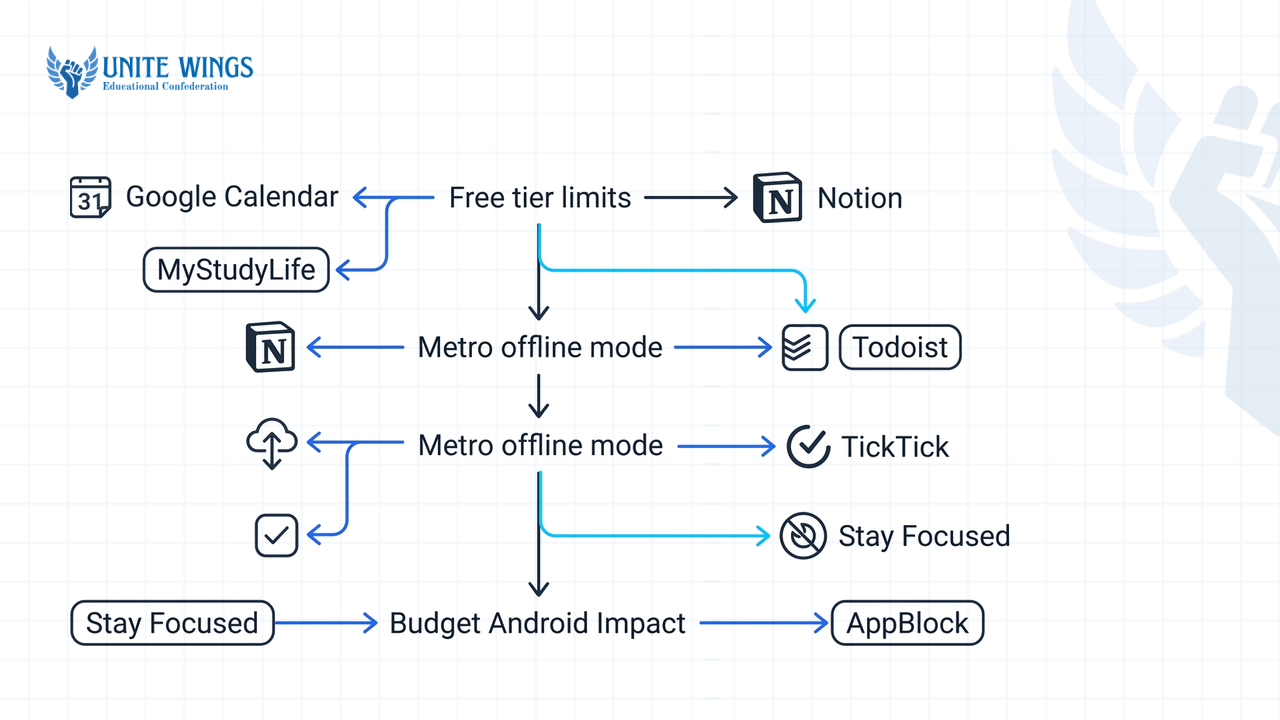
| App | Best for | Free tier limits | Metro offline mode & budget Android impact |
|---|---|---|---|
| Google Calendar | Fixed lecture slots, lab hours, and interview links | 100% free; no feature locks | Full offline calendar cache; highly optimized for mobile and web platforms |
| MyStudyLife | Rotating timetables, homework tracking, and exam reminders | 100% free; no paywall | Caches timetable and tasks for zero-network viewing; lightweight native Android app |
| Notion | Placement company trackers, project docs, and subject notes | Free for individuals; free Plus plan with valid college email | Weak offline mode (pages must be pre-loaded); heavy web-wrapper app on budget phones |
| Todoist | Capturing quick tasks with natural-language dates | Up to 5 active projects and 5 collaborators per project | Lets you add and check off tasks offline and syncs later; low background battery usage |
| TickTick | Combining a task list, Pomodoro timer, and habit tracker | Natively bundles a calendar view, Pomodoro timer, and habit tracker for free | Works offline for tasks and local timer sessions; keep background battery permissions unrestricted for alerts |
| Stay Focused | Blocking Instagram Reels, YouTube Shorts, and apps | Free app/site limits, Pomodoro timer, and scheduled blocks | Offline enforcement; utilizes the Android Accessibility Service to block specific apps |
| AppBlock | Automated app blocking by time slot, location, or Wi-Fi | Free basic scheduled blocking profiles; Strict Mode available | Blocks locally without internet based on specific times, locations, or connected Wi-Fi networks |
Here is how to set up each of the 7 apps so you spend time studying rather than managing software.
1. Google Calendar (Best for time-bound classes and interviews)
MyClassmaite and Apeejay Education both rank Google Calendar as the primary standard for tracking recurring college lectures, lab hours, and date-bound deadlines across Android, iOS, and web. Because it is universally accessible, it runs smoothly on almost any device with minimal impact.
How to set it up today: Create three separate sub-calendars on the desktop web view: Classes (blue), Submissions (red), and Placement Drives (green). Set your lectures to repeat weekly until the last day of your semester exam schedule so your timetable stays clean during study leave.
2. MyStudyLife (Best for rotating college timetables)
If your engineering or arts college runs a 6-day rotating order where Monday's classes shift after a mid-week holiday, Google Calendar becomes a headache to edit. MyStudyLife and Lifestack confirm that MyStudyLife handles rotating timetables, homework tracking, and exam reminders completely for free without a paywall.
How to set it up today: Sign up on the web dashboard, choose your term dates, and enter your subjects once. Under the Tasks tab, log assignments tied to specific subjects so the app reminds you the night before that exact lecture occurs, even during a zero-signal metro ride.
3. Notion (Best for placement prep repositories and notes)
According to Apeejay Education and Routinery, Notion is free for individual use, and college students with an official institutional email address can get the Notion Plus plan for free through the Notion Education Plan. However, Notion loads slowly on budget phones and fails in the metro unless you open the exact page while still on Wi-Fi.
How to set it up today: Go to Notion's billing settings on your laptop and verify your college email ID. Create one simple database table for off-campus drives on Naukri, LinkedIn, and Unstop with five columns: Company, Role, CTC vs In-Hand LPA, Service Bond (Yes/No), and OA Date.
4. Todoist (Best for fast task capture between lectures)
When a professor announces a surprise lab record submission as you walk out of the room, opening a heavy database app takes too long. Apeejay Education and PlanBot AI note that Todoist's free tier gives you up to 5 active projects, 5 collaborators per project, and natural-language date parsing.
How to set it up today: Add the Todoist ”Quick Add” tile to your Android notification shade or home screen widget. Type "Submit DBMS assignment Friday at 5pm #Academics" and hit enter; Todoist automatically reads the date, sets the 5:00 PM alert, and files it into your Academics project.
5. TickTick (Best for Pomodoro study blocks and daily habits)
Instead of installing three separate apps for to-dos, focus timers, and daily coding streaks, PlanBot AI points out that TickTick natively bundles a calendar view, a Pomodoro timer, and a habit tracker into one freemium platform.
How to set it up today: Enable the Pomo and Habit tabs inside TickTick's bottom navigation settings. Add three daily placement habits—2 LeetCode problems, 15 IndiaBix aptitude questions, and 1 NPTEL lecture—and link a 25-minute Pomodoro timer whenever you sit down to clear them.
6. Stay Focused (Best for blocking Instagram Reels and YouTube Shorts)
According to its Google Play Store listing, Stay Focus (alongside Stay Focused) is a free Android blocker and Pomodoro timer that uses the Android Accessibility Service to block specific apps, websites, Instagram Reels, and YouTube Shorts during scheduled study hours.
How to set it up today: Grant Accessibility Service permissions when prompted, toggle on the Reels & Shorts Blocker, and turn on Strict Mode so you cannot uninstall the app or change your phone's clock during a 2-hour coding block.
7. AppBlock (Best for Wi-Fi and location-triggered study rules)
As documented by AppBlock, this free tool lets you automate blocking schedules for distracting apps like Instagram based on specific time slots, physical locations, or connected Wi-Fi networks.
How to set it up today: Create a free scheduled profile set to activate whenever your phone connects to your college library or hostel study-room Wi-Fi. Select Instagram, YouTube, and games so they lock automatically the moment you sit down at your desk.
Is Notion or Google Calendar better for a college student routine?
Google Calendar is better for managing your daily college schedule, while Notion is better for storing static notes and tracking long-term projects. As MyClassmaite explains, Google Calendar acts as the source of truth for time-bound events like lectures and labs, whereas Notion works as a content repository.
What most students get wrong: Freshers watch aesthetic productivity videos on YouTube, download a 15-database Notion template, and try to run their entire daily timetable inside it. Within two weeks, they stop updating the checkboxes because Notion's mobile push notifications are inferior to a dedicated calendar app, and moving missed subtasks across database views creates heavy daily maintenance fatigue. Worse, putting granular subtasks like "Solve 5 array questions" directly onto Google Calendar as 30-minute blocks backfires too, because the moment one lab runs late, you have to drag and reschedule six calendar blocks by hand.
The fix: Separate time from tasks.
- Put only fixed-time commitments on Google Calendar: lectures, lab exams, placement cell briefings, and online assessment (OA) windows.
- Keep your multi-step coding checklists and company research inside Notion or Todoist.
- If you want to see both in one window on your laptop, install Notion Calendar (formerly Cron). According to UseCarly, Notion Calendar is a free client interface that connects directly to your Google Calendar account while pulling in deadline items from your Notion databases.
Which free app blocks Instagram during study hours?
Stay Focused, AppBlock, and Lock In Squad are the best free apps to block Instagram during study hours, while Forest works well if you prefer gamified focus timers. Unlike built-in phone tools such as Apple Screen Time or Android Digital Wellbeing, which you can bypass in two seconds by tapping "Ignore Limit", dedicated third-party blockers let you lock your settings before a study session starts.
Here is how to choose the right blocker for your exact distraction habit:
- If you need to open YouTube for tutorials but lose an hour to Shorts: Use Stay Focused on Android. It lets you block only the YouTube Shorts and Instagram Reels feeds via the Accessibility Service while keeping regular long-form lecture videos accessible.
- If you want friction and streak tracking on iPhone or Android: Use Lock In Squad. It restricts social media during study timers, tracks your consistency on a heatmap, and adds customizable friction like hold-to-exit delays before an app will open.
- If you respond better to visual accountability: Apeejay Education recommends Forest, where a virtual tree grows while your timer runs and withers the moment you leave the app to check Instagram.
The cross-screen loophole most students miss: Locking Instagram on your phone does nothing if you immediately open instagram.com or YouTube in a Chrome tab on your laptop. To close that loophole, use Kohru, a cross-device app blocker that syncs focus sessions across your phone and laptop browser simultaneously so you cannot cheat by switching screens. Note that while baseline blocking in AppBlock and Lock In Squad is free, unlimited profiles or advanced cross-device locks may require an upgrade, so pair a free phone blocker with a free desktop browser extension if you want a ₹0 setup.
How can I automate my assignment reminders using Google Sheets and Calendar?
You can automate assignment reminders and calendar events for free by linking a Google Sheet to Google Calendar and Gmail using Google Apps Script. Both Spreadsheet.dev and Race Dorsey show that a short JavaScript snippet inside Extensions > Apps Script can create calendar events and email alerts dynamically without paid third-party tools.
Calendar apps start completely empty and cannot natively read the PDF syllabus or placement schedule your department WhatsApp group forwards you. Instead of entering 40 dates manually on your phone screen, type them into a spreadsheet once and let a script push them to your calendar.
Follow these 5 steps to set it up in 10 minutes:
- Open your browser, type
sheets.new, and create two column headers in Row 1: Column A (Task) and Column B (Target due date). Enter your assignments and OA dates in rows 2 and below. - Click Extensions > Apps Script in the top menu bar. In the left sidebar next to Services, click the
+icon, select Google Calendar API, and click Add. - Delete any placeholder code in the editor and paste a standard
CalendarAppsync script that loops through rows, checks if Column C is empty, creates an all-day event on your default Google Calendar usingCalendarApp.getDefaultCalendar().createAllDayEvent(task, date), and writes"Yes"into Column C so it never creates duplicates. - Click Save and hit Run once to grant Google Workspace permissions for your account.
- Click the Triggers icon (the alarm clock on the left sidebar), click Add Trigger, set the event source to Time-driven, select Day timer, and set it to run daily between 7 AM and 8 AM.
If you want to build no-code workflows that connect forms, sheets, and email with an AI step, such as automatically parsing placement emails into a tracker, check out the AI Automation Masterclass.
Do I need a paid productivity app to manage college and placement prep?
No, you do not need a paid productivity app to manage college routines or campus placement prep. Reviews from IMTIIM, FACE Prep, and SyncStudy confirm that combining free tiers of Google Calendar, Notion, Todoist, IndiaBix, and NPTEL covers every scheduling and study requirement at zero cost.
Many productivity videos promote global AI calendars like Motion, which bill $19 to $29 per month in USD (roughly ₹1,600 to ₹2,500 every month). That pricing makes zero sense for an Indian college student or fresher preparing for a 3.5 to 7 LPA campus role. If you specifically want an AI-generated timetable for competitive exams like UPSC, JEE, or NEET without paying in dollars, PlanBot AI offers a localized Indian timetable generator with free trial generations and paid tiers starting at ₹99.
For standard college exams and IT placement drives (such as TCS NQT), save your money and link your free daily planner to two free Indian study resources recommended by FACE Prep:
- For metro commutes without mobile data: Download the NPTEL mobile app and save IIT professor video lectures and PDF transcripts for core subjects (Data Structures and Algorithms, Operating Systems, and DBMS) offline before leaving your hostel or home Wi-Fi.
- For daily aptitude blocks: Bookmark IndiaBix inside your browser and attach the URL directly into the description field of your daily 7:00 PM TickTick or Google Calendar block so one tap opens topic-wise quantitative aptitude, logical reasoning, and verbal questions tagged for companies like TCS NQT.
If you already use Google Workspace every day and want to connect Gemini directly to your Gmail, Docs, and Drive for study workflows, explore the Gemini Masterclass.
How to set up your routine stack this week
Do not install all seven apps today, as downloading everything at once guarantees you will abandon the system by next Tuesday. Pick one calendar, one task app, and one blocker, and build the habit in three stages:
- Tonight (20 minutes): Open Google Calendar (or MyStudyLife if your college uses rotating day orders) and block out your recurring lectures, labs, and commute hours for the rest of the semester.
- Tomorrow morning (15 minutes): Install Todoist or TickTick for daily assignments, and set up Stay Focused with Strict Mode turned on for a single 90-minute evening slot dedicated to DSA or IndiaBix aptitude practice.
- This Sunday (30 minutes): Put all your upcoming semester submission dates and target off-campus company deadlines into a single Google Sheet and connect the Apps Script trigger so your Monday starts on autopilot.
Automate your study and placement workflows
Want to go beyond basic calendar scripts? Join the AI Automation Masterclass to connect forms, Google Sheets, and email with an AI step and walk away with a working no-code workflow you can use for placement tracking and present in technical interviews.
Frequently asked questions
Which app is best for a college student daily routine in India for free?
Google Calendar combined with Todoist or MyStudyLife is the best completely free setup for Indian college students. Google Calendar handles fixed lectures and interview invitations without any paywall, while MyStudyLife tracks rotating timetables and homework offline during zero-signal metro commutes.
How can I get Notion Plus for free as a college student?
You can get the Notion Plus plan at no cost by signing up with your official college or university email address. Open Notion on a desktop browser, go to Settings & Members > Upgrade, and select the Get free Education plan option to verify your student status.
Why shouldn't I use Notion as my main daily calendar?
Notion's mobile push notifications and background sync are less reliable than dedicated calendar apps, causing students to miss time-sensitive lectures or online assessment links. Additionally, Notion requires heavy manual upkeep on mobile and loads slowly without Wi-Fi, whereas Google Calendar caches your schedule offline automatically.
How do I block Instagram Reels and YouTube Shorts without blocking all of YouTube?
Install the free Stay Focus or Stay Focused app on Android and grant it Accessibility Service permissions. Inside the app settings, enable the dedicated Reels & Shorts Blocker and turn on Strict Mode, which blocks short-form video feeds while leaving standard educational YouTube videos open.
Are paid AI calendar apps like Motion worth it for Indian students?
No, global AI planners like Motion charge $19 to $29 per month in USD, which is too expensive for a student budget and unnecessary for college schedules. You can automate deadline reminders for free using Google Sheets and Apps Script, or use localized tools like PlanBot AI starting at ₹99.
How do I study on the metro when my planner app has no internet?
Use Google Calendar, MyStudyLife, or Todoist to check your daily tasks, as all three cache your schedule locally for offline viewing. Pair them with the NPTEL mobile app, which lets you download IIT video lectures and transcripts over hostel Wi-Fi for offline study on the train.
Newsletter
Stay updated with our latest news and insights.